
PATCH DNA / THE BASS
Install The Bass on macOS
Everything you need to get started with The Bass.
Get started
Already downloaded the file from your account? Start with step 2.
Download from your account
In your Patch DNA account, choose The Bass and download the macOS installer. If you already have the file, continue to the next step.
Run the installer
Close your DAW, open the downloaded package and follow the installer. Approve the standard macOS permission prompt when requested.
Open The Bass
After installation, launch the Patch DNA standalone app or open the plug-in in your DAW. If it does not appear in the list, restart your DAW and rescan plug-ins.
Activate and create
Connect to the internet and enter your The Bass license key from your account. Once activation completes successfully, you can start creating. Serum 2 must also be installed and activated separately.
A LITTLE HELP
Need a hand?
macOS will not open the package
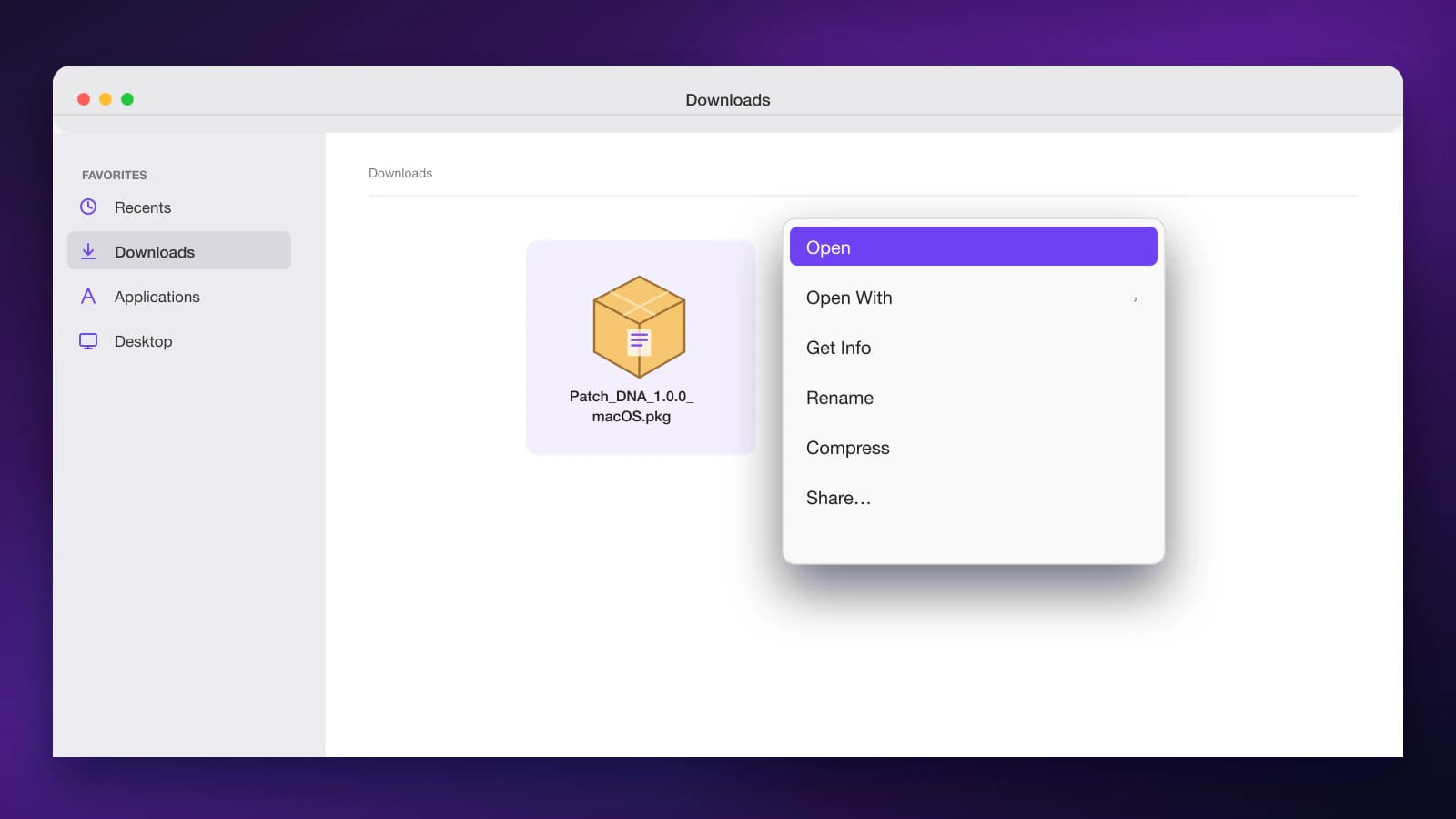
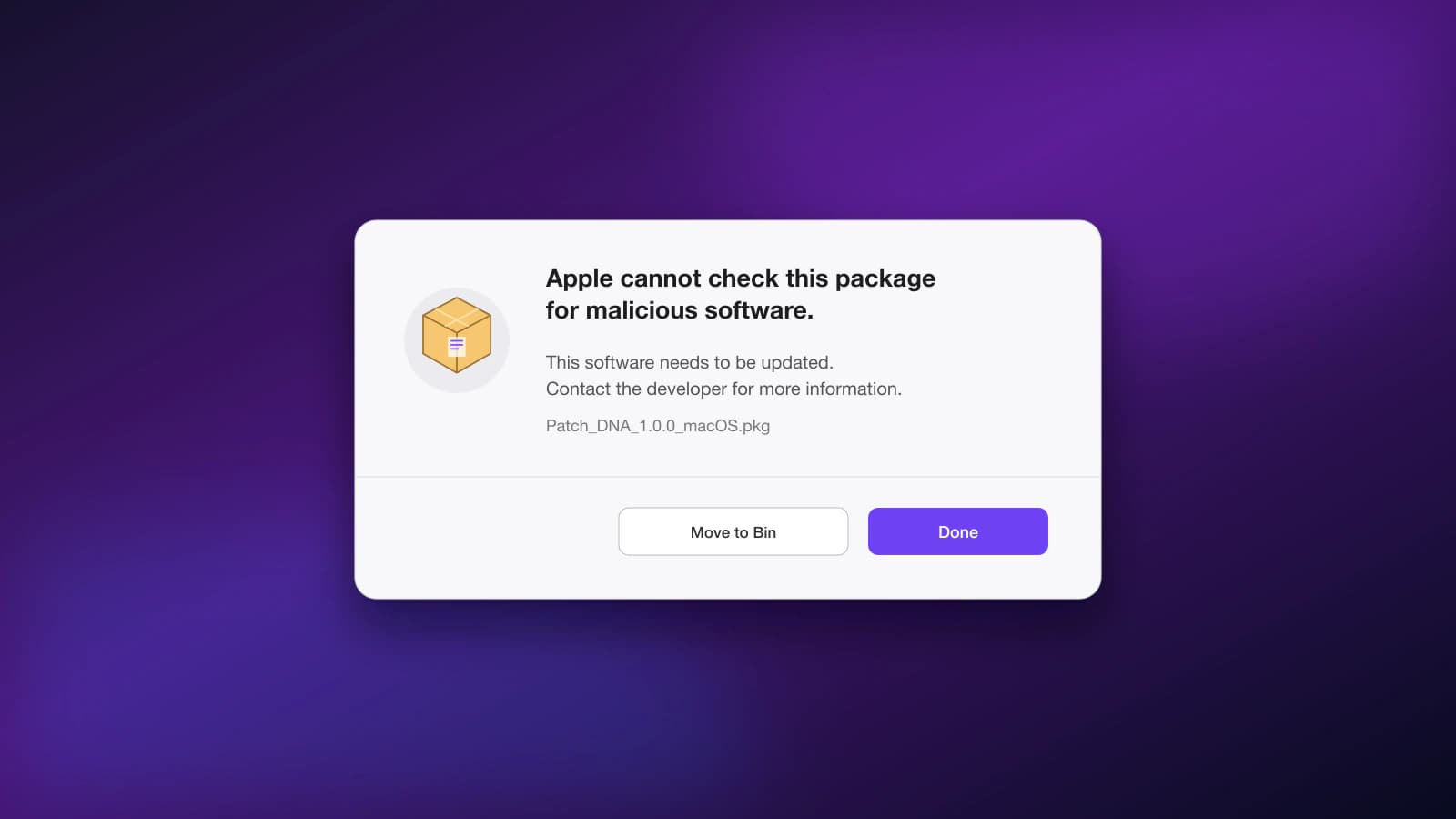
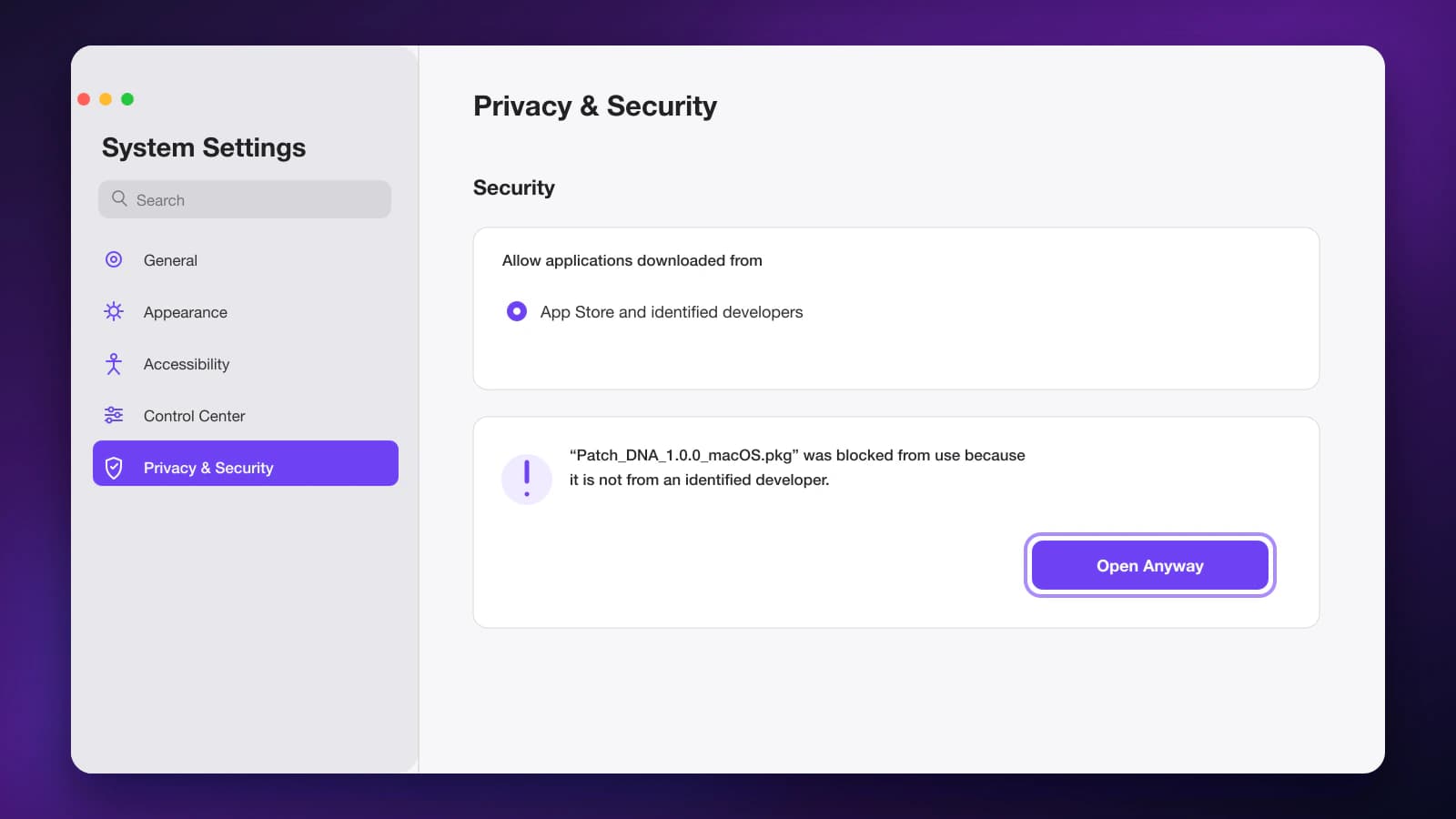
First verify the source, filename and SHA-256 using the details below. Control-click the package and choose Open. If macOS still blocks this package, open System Settings → Privacy & Security → Open Anyway.
Keep macOS security enabled. If approval is unavailable or you are unsure about the file, contact support.
Show the steps on screen
The plug-in does not appear in your DAW
Restart your DAW and rescan VST3 or Audio Units. The plug-in and its creator may be listed as Patch DNA.
Activation does not complete
Check your internet connection and use your The Bass key. If network filtering prevents the connection, review its settings. If the issue continues, contact support with the message you saw. Never send the full key.
We’re here to help.
Tell us your product, the last step you completed and the message you saw. Never send your license key or password.
Advanced detailsFile verification and technical information
Verify your download
Download only from your Patch DNA account. Compare the complete SHA-256 with the value beside the download in your account. If it differs, do not run the file and contact support. A hash confirms the published bytes; it does not replace a publisher signature.
- Filename
- Patch_DNA_The_Bass_1.3.0_macOS.pkg
View the file details in your account
Optional verification in Terminal
Open the shell in the folder containing the downloaded file and run this read-only command. Compare the hash with the value in your account.
shasum -a 256 "Patch_DNA_The_Bass_1.3.0_macOS.pkg"